Expense Tracker CLI
Track spending from your terminal 💰
A Python CLI that scans Gmail for receipts and tracks expenses by category. Features manual entry, weekly/monthly reports, and HTML report generation with charts.
Invisible Spending
Without tracking, it's hard to know where money goes. Receipts pile up in email, and manual tracking is tedious.
- 1Receipts scattered across emails
- 2No quick way to see spending patterns
- 3Manual entry is boring and slow
- 4Wanted terminal-first workflow
Auto-Scan + Quick Entry
Scans Gmail for receipts automatically and supports quick manual entries. Generates beautiful HTML reports with category breakdowns.
Gmail Receipt Scanning
Auto-detect purchases from email receipts
Quick Manual Entry
expense add 45.50 'Dinner' food — done in seconds
7 Categories
Food, transport, shopping, entertainment, bills, health, other
HTML Reports
Beautiful charts and category breakdowns
Screenshots
Technical Deep Dive
Architecture
Single Python file using stdlib only. JSON storage, gog CLI for Gmail access.
Tech Stack
Challenges & Solutions
Parsing receipt emails accurately
Regex patterns for common receipt formats from major retailers
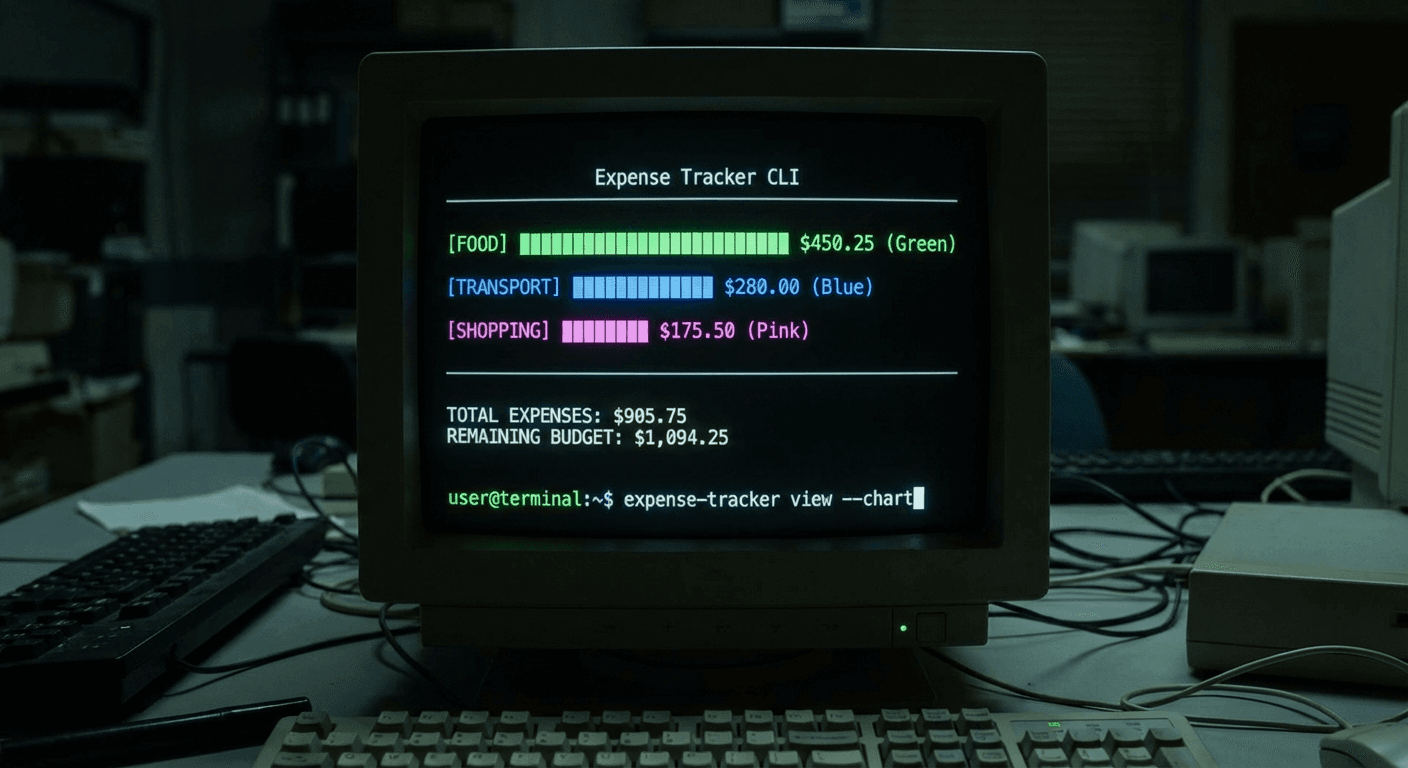
Beautiful terminal output
Unicode bar charts and color coding for category visualization
Results & Impact
Finally see where the money goes, right from the terminal.
Highlights
- Zero external dependencies
- Automatic receipt detection saves manual work
- HTML reports for sharing or reviewing
Lessons Learned
- →Email is a goldmine of financial data
- →Stdlib Python is surprisingly capable
- →Visual reports make data actionable